Start from a real loop
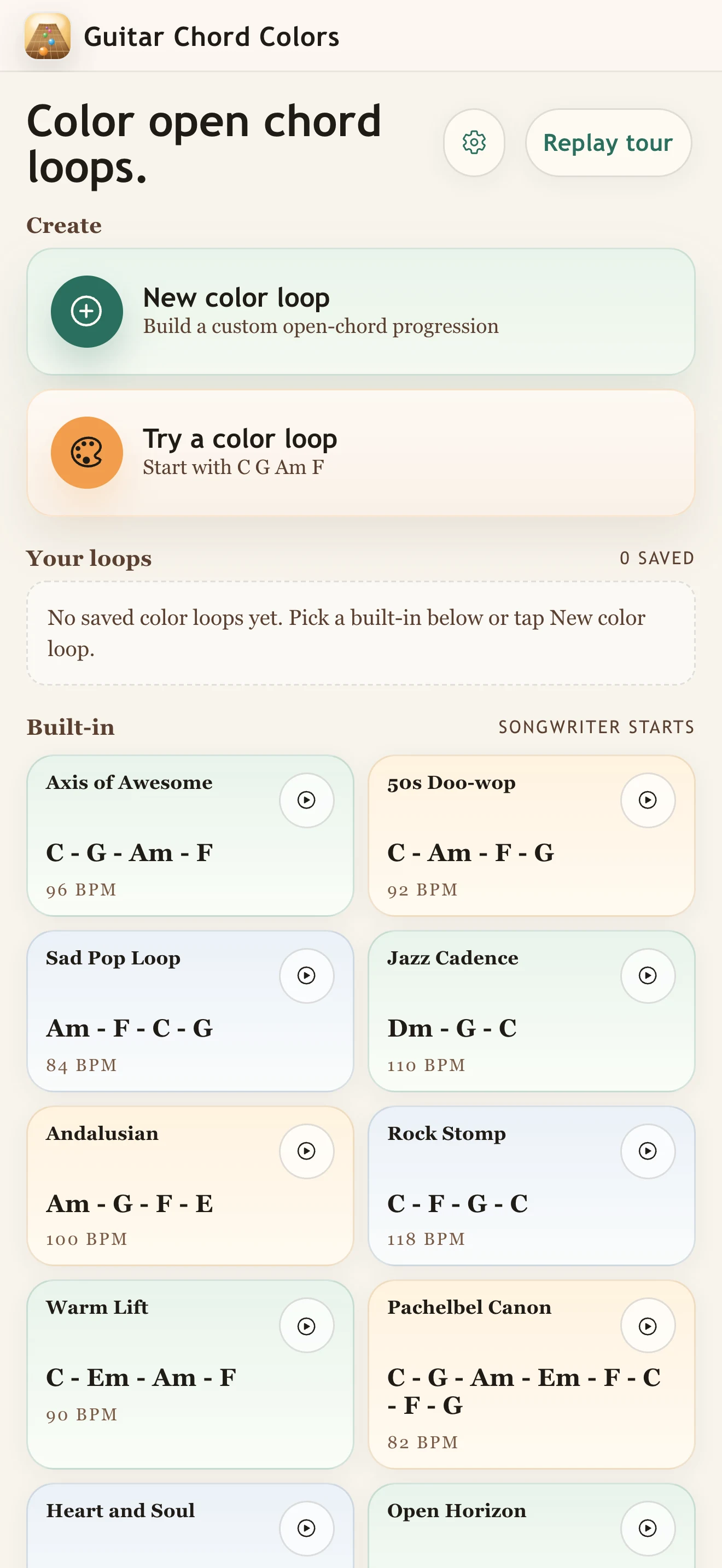
Pick a built-in songwriter progression or open one you saved.
iPhone & iPad
Start with open chords you already know, hear the plain loop, then try add9, maj7, 7, 6, and sus colors in context before saving the version that fits the song.
How it works
Guitar Chord Colors is built around one practical loop: choose open chords you already know, hear the plain version, try a color tone, and save the version that actually fits the song.
Pick a built-in songwriter progression or open one you saved.
Use Listen for one chord or Play progression for the full loop.
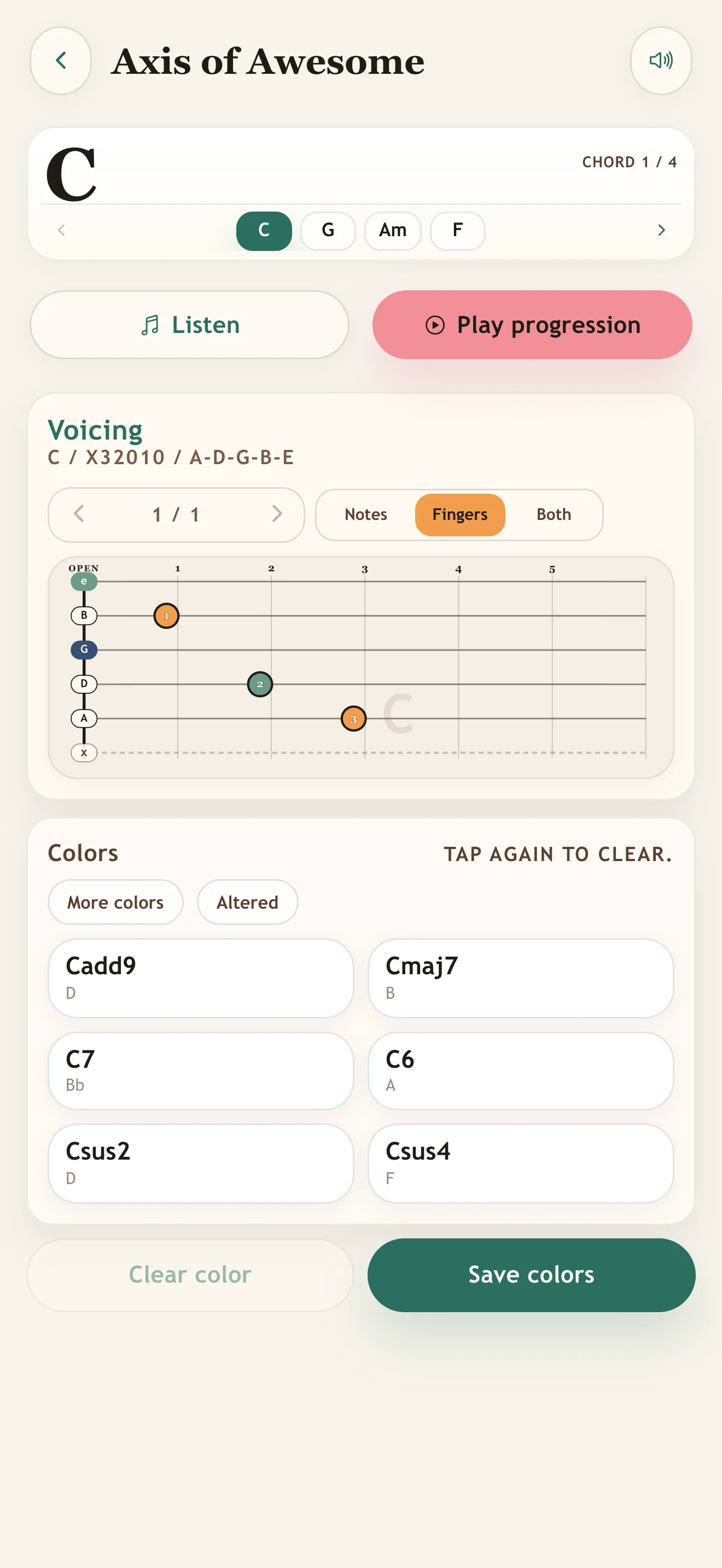
Start from the suggested grip, then inspect the full shape when you need more map.
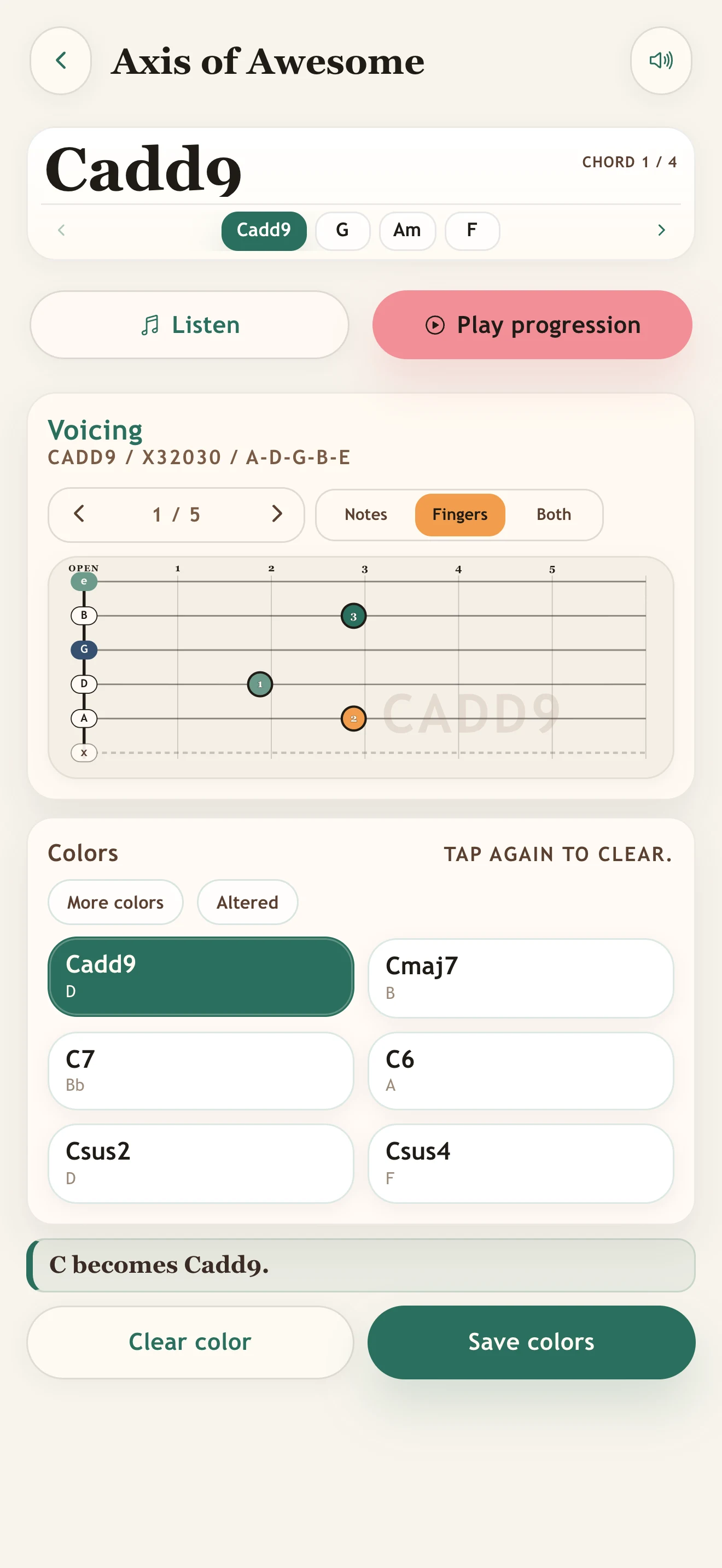
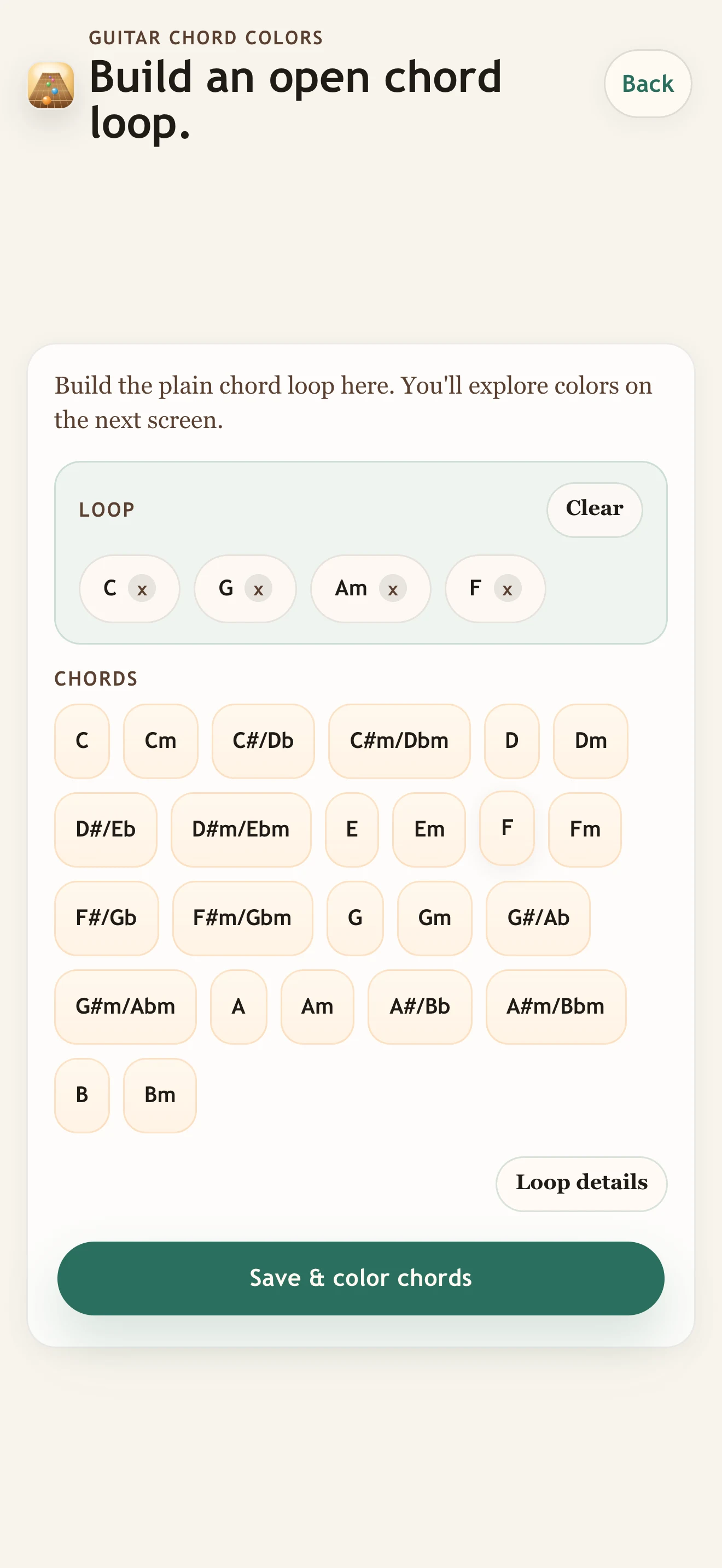
Add plain major or minor chords, then explore colors in the practice screen.
Color examples
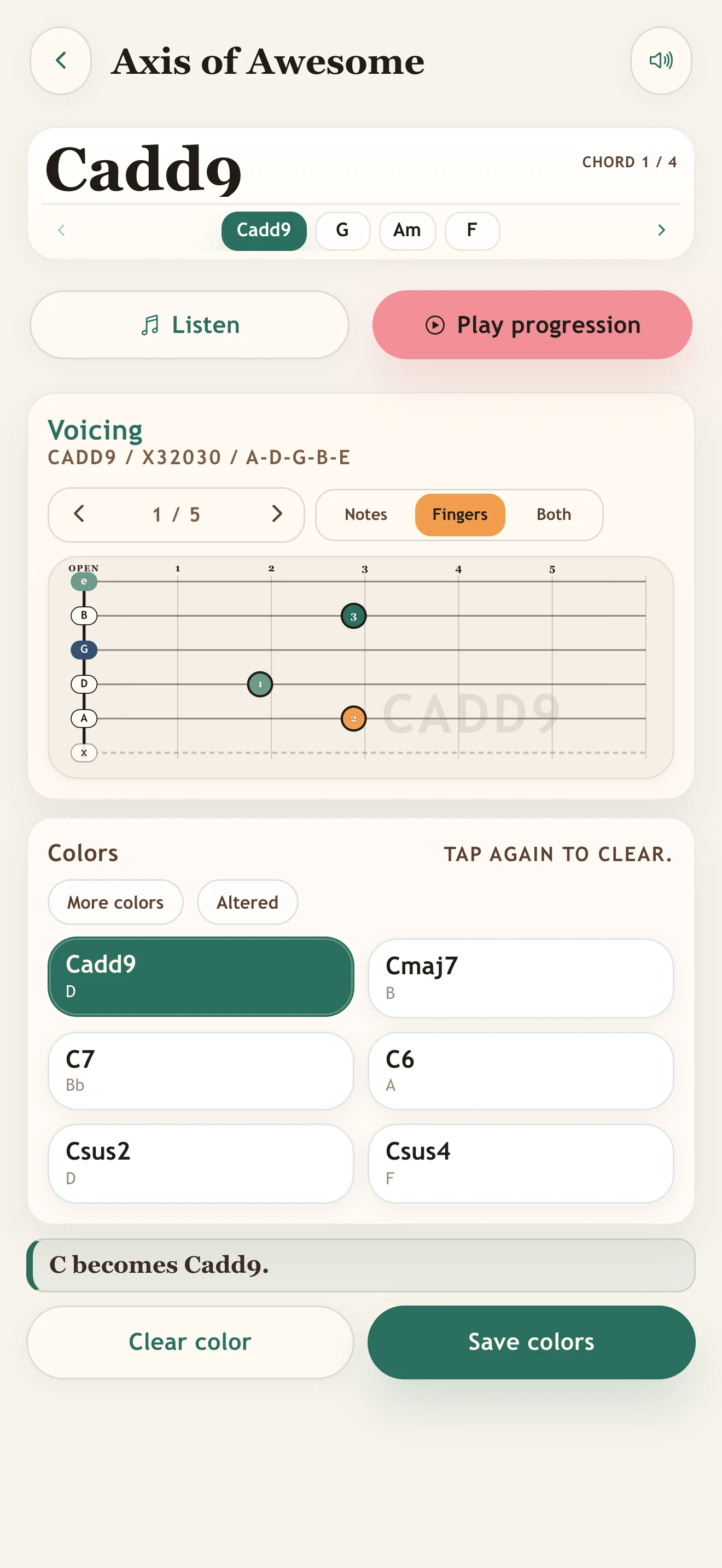
Add9, maj7, 7, 6, sus2, and sus4 sit up front so you can move from familiar to more expressive without hunting.
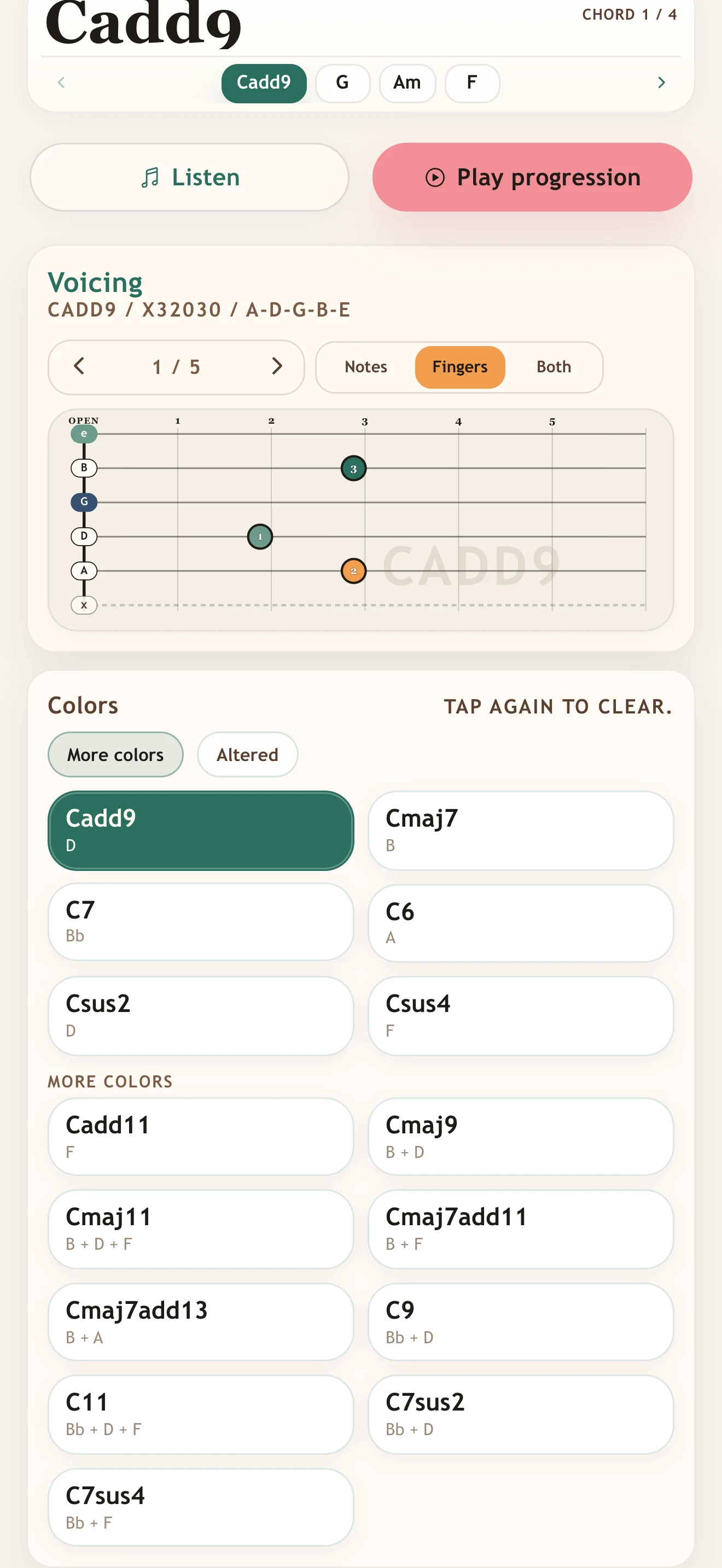
More colors keeps the first choices simple, then opens extended sounds when the song needs a broader lift.
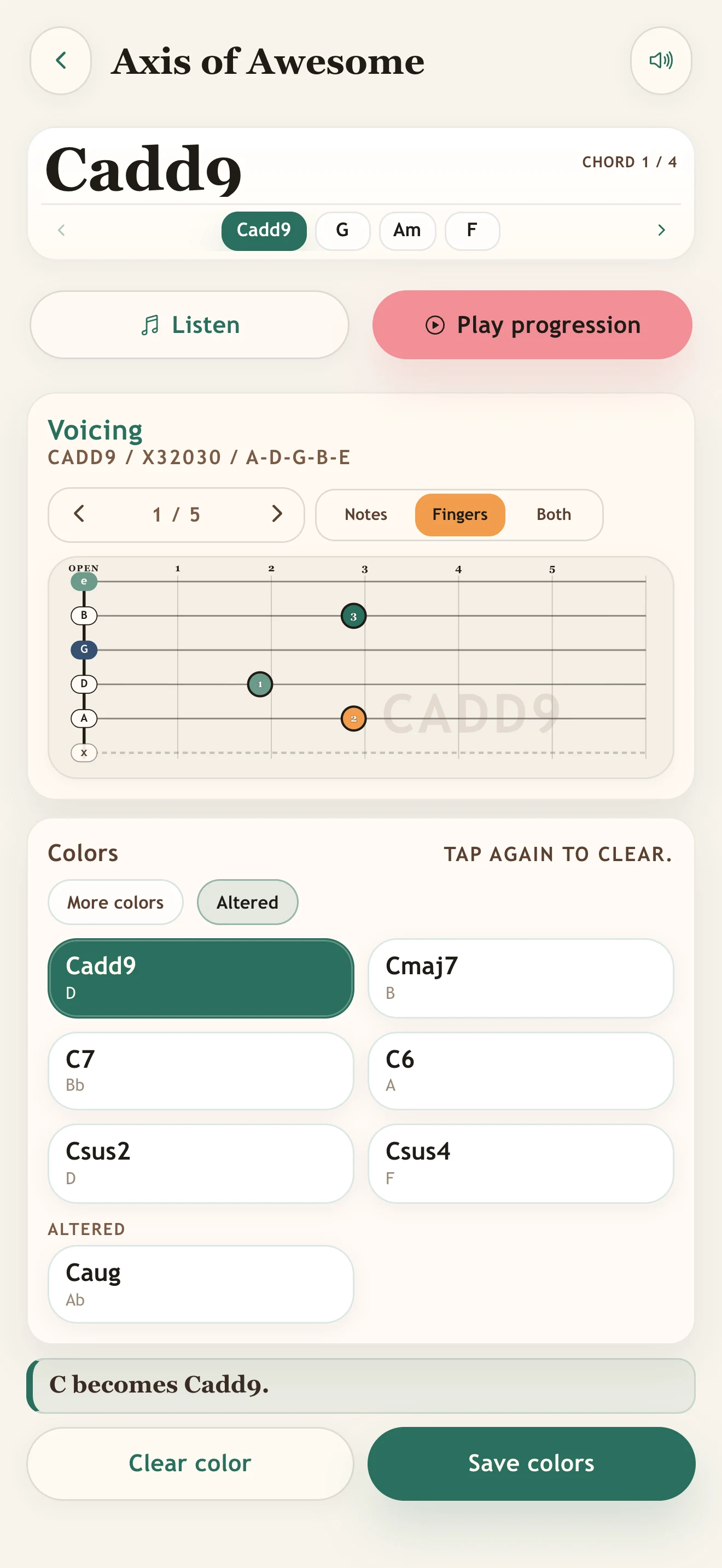
Altered choices stay tucked away so outside sounds are available without crowding the everyday color set.
Questions
The short version: it is a songwriter-minded way to audition color tones inside loops you already understand.
It is an iPhone and iPad app for trying open chord colors inside familiar progressions, so you can hear how the same song idea changes.
Use built-in songwriter starts or build your own plain major or minor loop, then try colors like add9, maj7, 7, 6, and sus on the next screen.
Yes. Use Listen for the current chord or Play progression to hear every chord in the loop.
Core color choices stay visible first. More colors and Altered options are separate toggles so the screen stays focused until you need extra sounds.
After the free 3-day Trial, continue for $0.99/month, which renews unless canceled, or choose the one-time $9.99 lifetime unlock. No account and no ads.
More guitar apps
Move from open-chord color into triads, open tunings, beginner chords, or a quick tuning check.
Learn major, minor, and diminished triads across the neck, then practice them inside real progressions.
Practice Open G, Open D, DADGAD, Open E, Open A, and Open C with drone rolls and melody targets.
Start beginner guitar with tiny 3-string chords, then add strings one level at a time.
Tune guitar, bass, ukulele, mandolin, and banjo with a simple pitch-first tuner.
Built for iPhone and iPad. Free 3-day Trial. $0.99/month renews unless canceled, or $9.99 lifetime. No account. No ads.